Gemini Basant Panchami AI Photo Editing Prompts (2026)
Basant Panchami ek pavitra aur rangon se bhara hua tyohar hai jo Maa Saraswati
ko samarpit hota hai. Aaj ke digital time me log apni photos ko AI tools ki
madad se festival theme me edit karke social media par share karna pasand
karte hain. Google Gemini AI ke zariye aap high quality Basant Panchami
photo editing easily kar sakte hain.
Basant Panchami AI Photo Editing Kya Hai?
Basant Panchami AI Photo Editing ek aisi technique hai jisme aap apni normal
photo ko Gemini AI prompts ka use karke yellow theme, Maa Saraswati elements
aur divine background ke saath professional look me badal sakte ho.
Gemini AI Ka Use Kyon Kare?
- HD aur realistic output
- Fast aur easy editing process
- Festival special creative look
- Instagram aur WhatsApp ke liye perfect images
- Content creators ke liye high engagement
Gemini Basant Panchami AI Photo Editing Prompts
Maa Saraswati Divine Theme Prompt

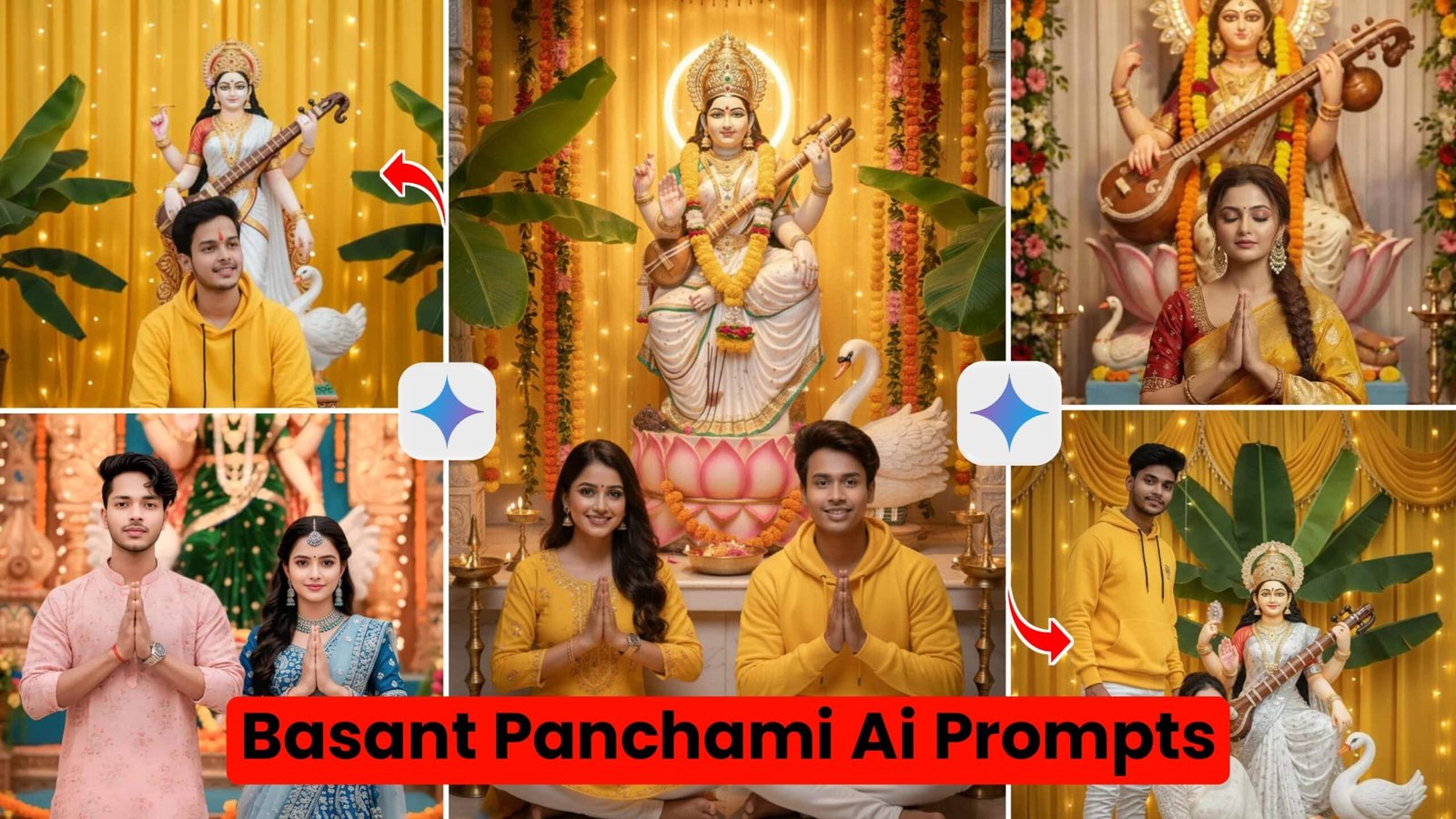
Ultra-realistic 8K devotional portrait, vertical 4:6. Low angle cinematic shot showing a young woman in a richly printed saree (white excluded) standing before Mata Saraswati, hands joined in Namaste. The woman is positioned slightly below the idol to emphasize devotion and divinity. Saree drapes naturally with realistic folds, traditional blouse, subtle bangles. Mata Saraswati idol highly detailed with veena, halo lighting, vibrant festival decorations.(code-box)
Traditional Yellow Outfit Prompt

high-quality, realistic photo of a man sitting cross-legged on the floor in front of a beautiful idol of Goddess Saraswati. The man is wearing a vibrant yellow hoodie and white pants. Goddess Saraswati is dressed in a white saree, holding a Veena, with a white swan (hamsa) next to her. The background features elegant yellow curtains decorated with warm fairy lights and green banana leaves on the sides. The lighting is soft and festive, creating a peaceful and spiritual atmosphere.(code-box)
Couples / Latest Style Prompt

Use uploaded photo as exact face and hairstyle reference
Create an ultra-realistic 8K cinematic portrait of a stylish young couple looking at the camera, hands joined in namaste. Man: Pink floral kurta, cream pants, wristwatch. Woman Blue-silver embroidered lehenga, matching bangles, silver-turquoise necklace, dangling earrings, soft wavy hair, gentle serene smile. Background: Grand festival pandal with Goddess Saraswati idol, green velvet saree with gold embroidery, heavy gold jewelry and crow(code-box)Instagram Viral Basant Panchami Prompt
✅Prompt👇A realistic image of a young Indian woman sitting gracefully in front of a beautiful idol of Goddess Saraswati. The Goddess is wearing a white and silver saree, holding a Veena, with a white swan nearby. The background is decorated with yellow curtains, green banana leaves, and glowing fairy lights. The man is wearing a yellow hoodie and white jeans, looking into the camera. High quality, festive atmosphere, cinematic lightin(code-box)

Gemini AI Se Photo Edit Karne Ka Tarika
- Google Gemini AI open karein
- Apni clear aur high quality photo upload karein
- Upar diye gaye prompts me se ek copy karein
- Prompt ko apne hisaab se customize karein
- Generate par click karke image download karein
Best Result Ke Liye Tips
- Hamesha bright aur clear image use karein
- Prompt me “Ultra HD”, “Realistic”, “Cinematic lighting” jaise words add karein
- Over editing se bachein
- Festival colors jaise yellow aur white par focus karein
Basant Panchami AI Images Kahan Use Karein?
Aap in AI edited images ko WhatsApp status, Instagram posts, Facebook wishes,
YouTube thumbnails aur apni website ke festival content ke liye use kar sakte hain.
Conclusion
Gemini Basant Panchami AI Photo Editing Prompts ka use karke aap easily
professional, realistic aur viral festival images bana sakte ho.
Sahi prompt aur thodi creativity ke saath aapki photos social media par
zyada engagement la sakti hain.